Helpium AI Workflows in action: handle refunds, track packages, and welcome new visitors
Every support team has the same five conversations on repeat. Helpium Workflows turns them into recipes the AI runs for you. Here is what the shipping presets actually do.

Maximiliano Monge
Founder & editor at Helpium. Writing about AI-powered custom...
Every support team has a list of conversations they answer the same way every time. Refunds. Where is my package. New visitor on the pricing page who needs a nudge. We built Helpium Workflows so the AI can run those for you, the same way every time, while you focus on the harder ones.
This post walks through the three workflow presets that ship with Helpium today, with a fourth example you can build yourself.
What a workflow is, in plain words
A workflow is a "when X happens, do Y, then Z" recipe. X is the trigger. In Helpium that is either "a customer messaged us" (called a conversation trigger) or "we reach out first" (called a proactive trigger). Y and Z are steps.
A step can ask the customer something, look something up, decide which path to take, send a reply, hand off to a human, or end.
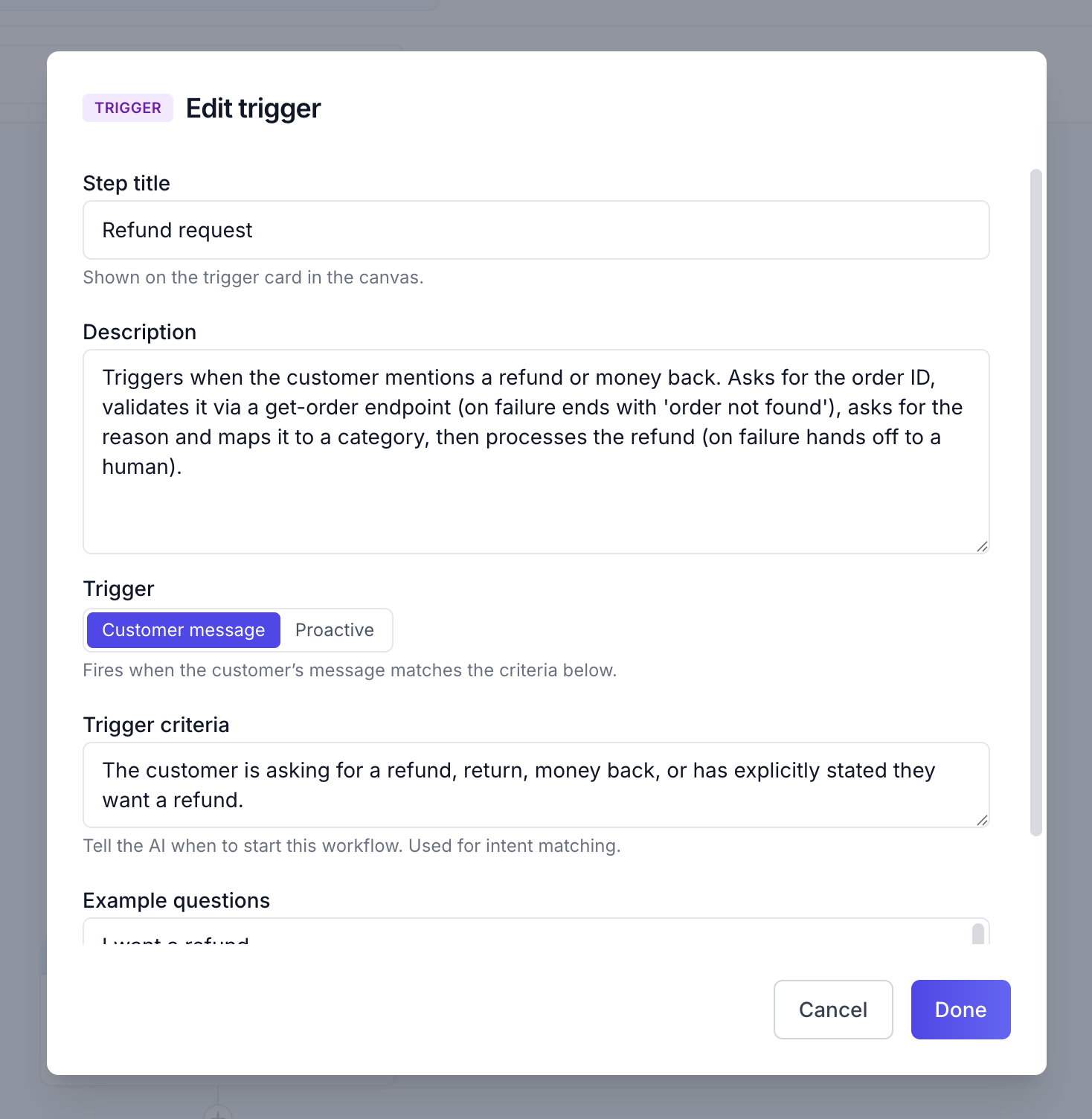
You build a workflow visually. No code, no spreadsheets. Pick a trigger, drop in steps, connect them.
Use case 1: handling refund requests
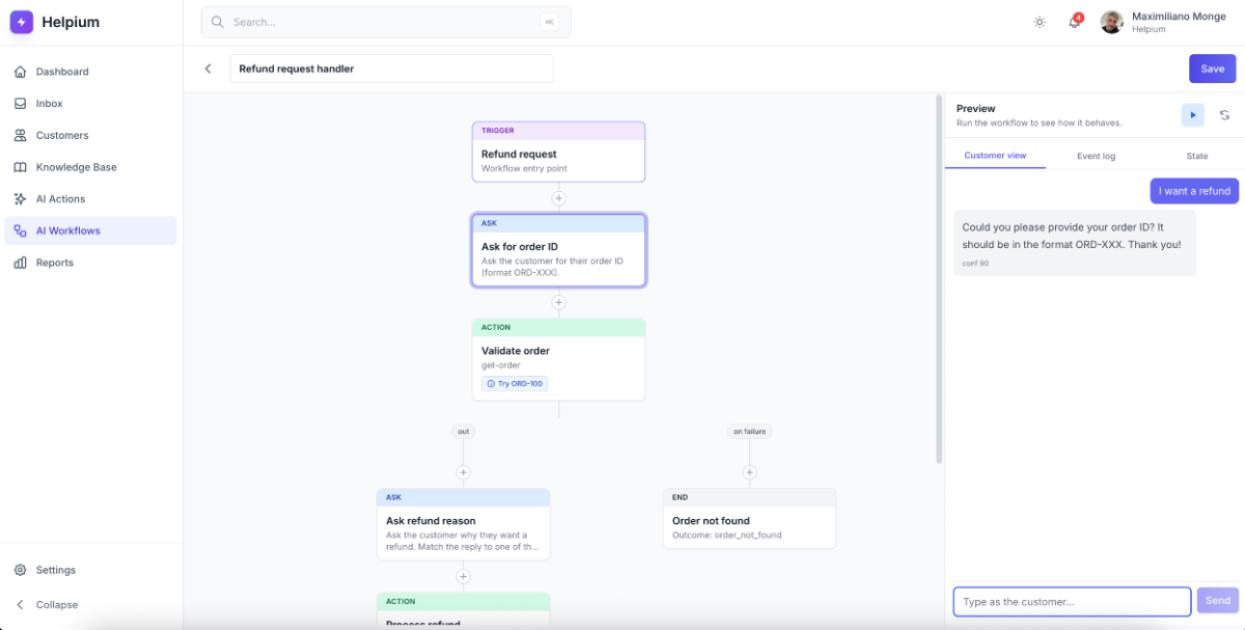
Helpium ships with a preset called Refund request handler.
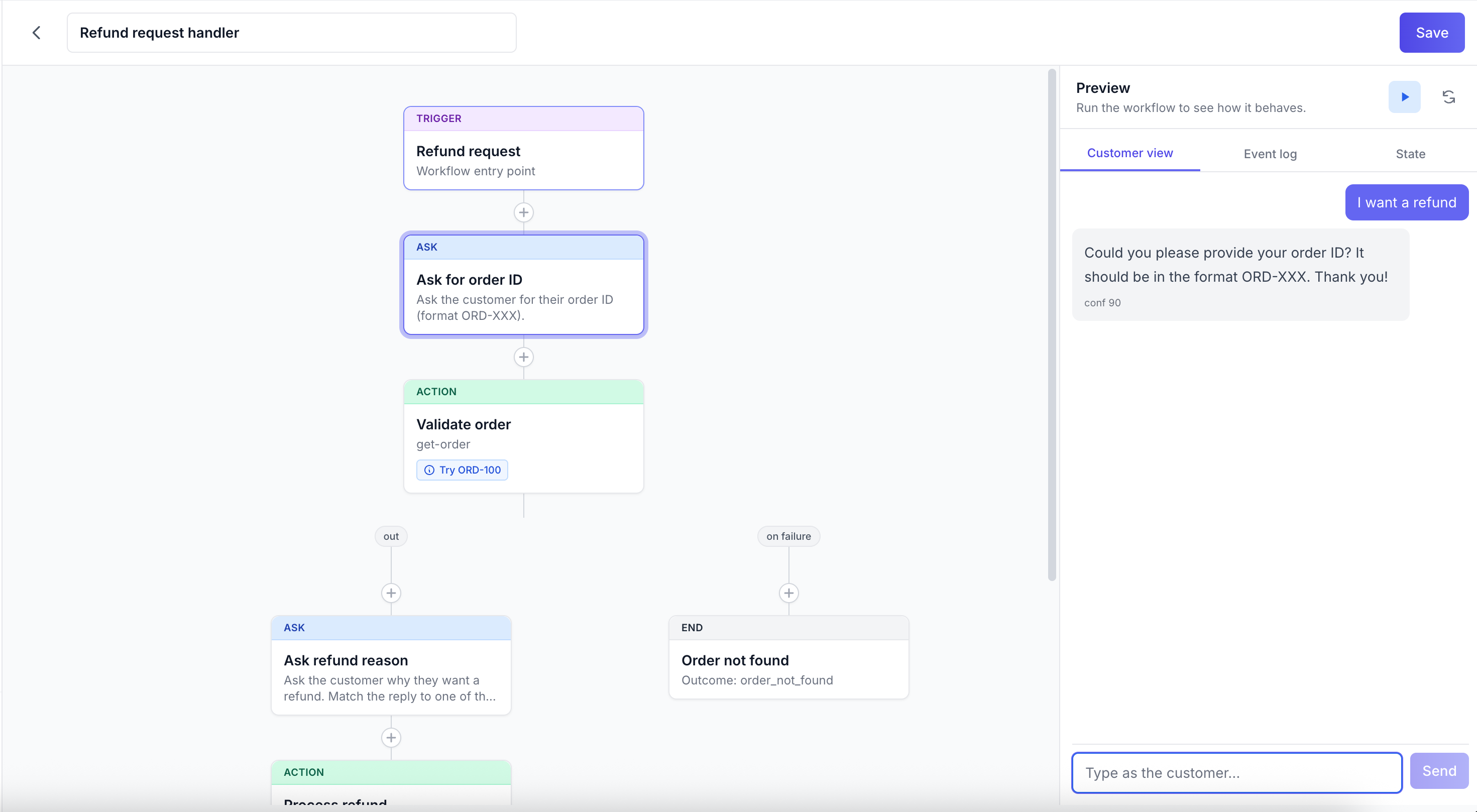
Here is what it does, in order. The customer mentions a refund. The workflow asks for the order number. It then calls a step called Get order that looks up the order and confirms it exists. It asks for the reason and uses a Classify step to map the answer to a category. A Condition step decides if the refund qualifies. If yes, a step called Process Refund does the work and confirms back to the customer. If anything fails along the way, the conversation hands off to a human with the full transcript.
That whole flow, end to end, runs in the time it takes you to read this paragraph. The customer never waits for an agent who is on lunch.
Use case 2: where is my package
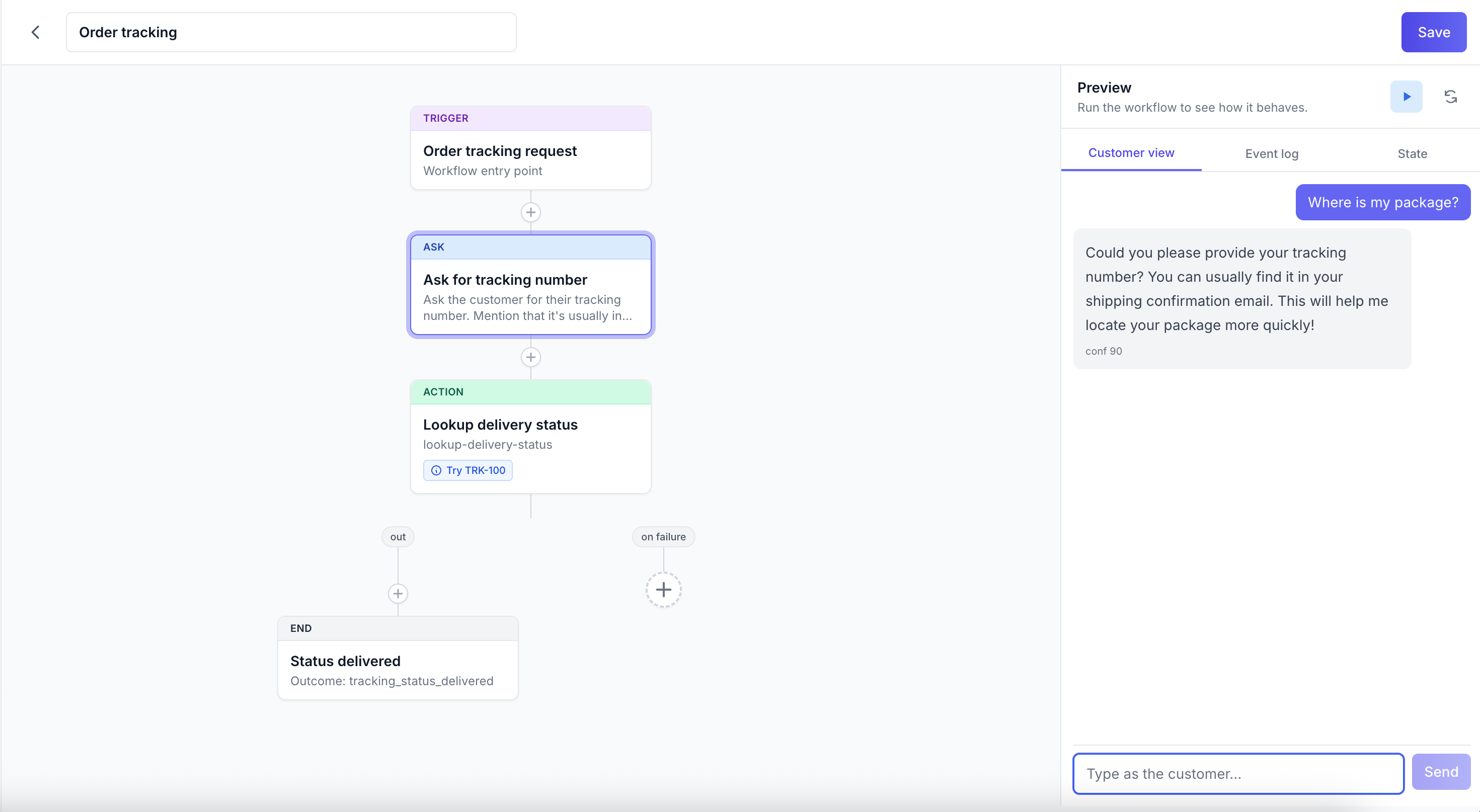
Preset name: Order tracking.
The customer asks about delivery. The workflow asks for the order number, calls a step called Lookup Delivery Status, and replies with the latest update from the carrier. If the lookup fails or the order has not shipped yet, the workflow hands off so a human can investigate.
This one is a single round trip. Customer asks, AI looks up, AI replies. The whole point: nobody on your team has to copy an order number into a carrier dashboard.
Use case 3: greeting a new visitor on your landing page
Preset name: Convert visitors into subscribers.
This one is the proactive type. It runs on a marketing page when a new visitor lands and does not already have a chat open. The workflow opens with a friendly hello, asks one open question about what they are looking for, asks for their email, and ends with a thank you and an invite to ask anything else.
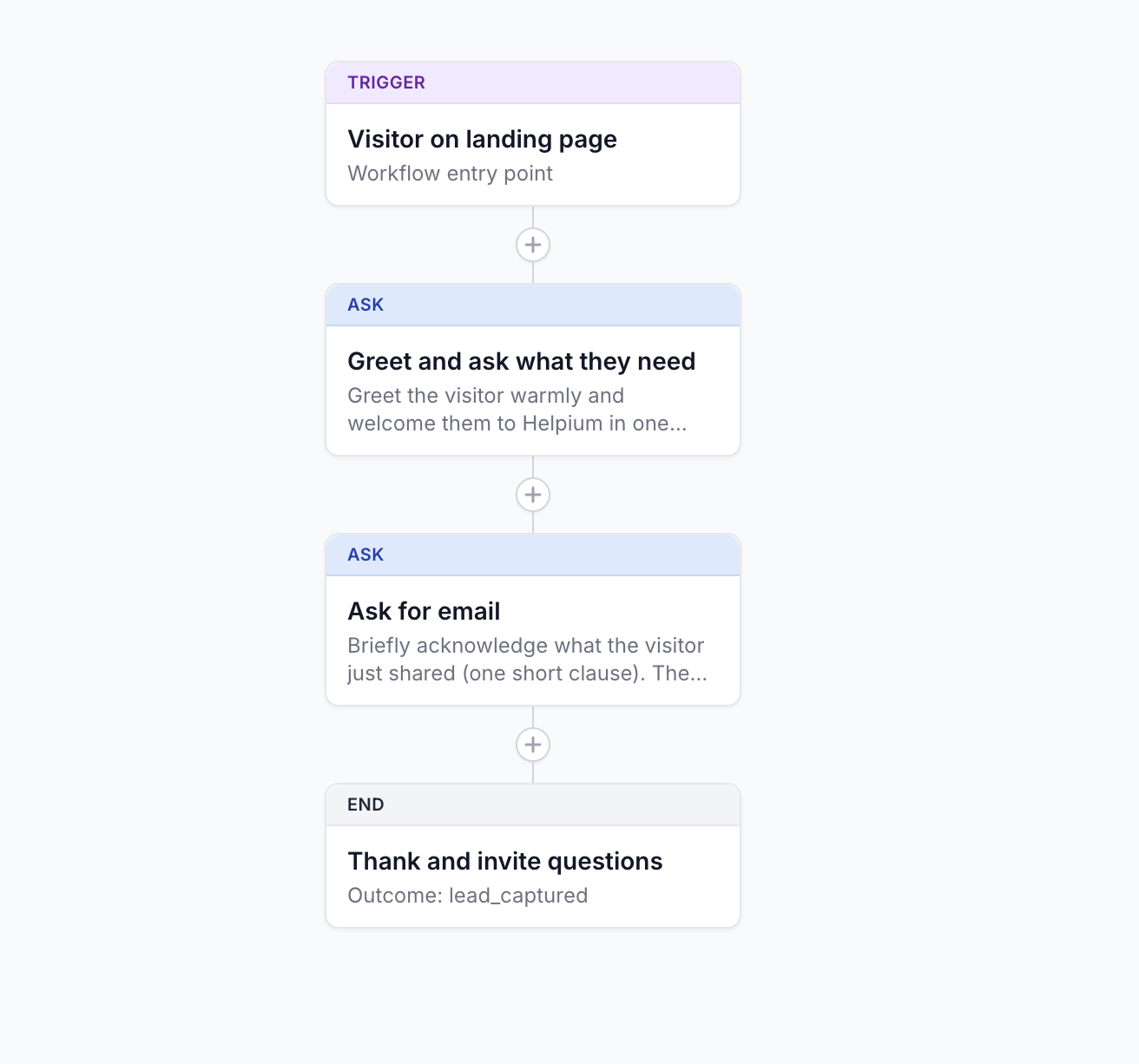
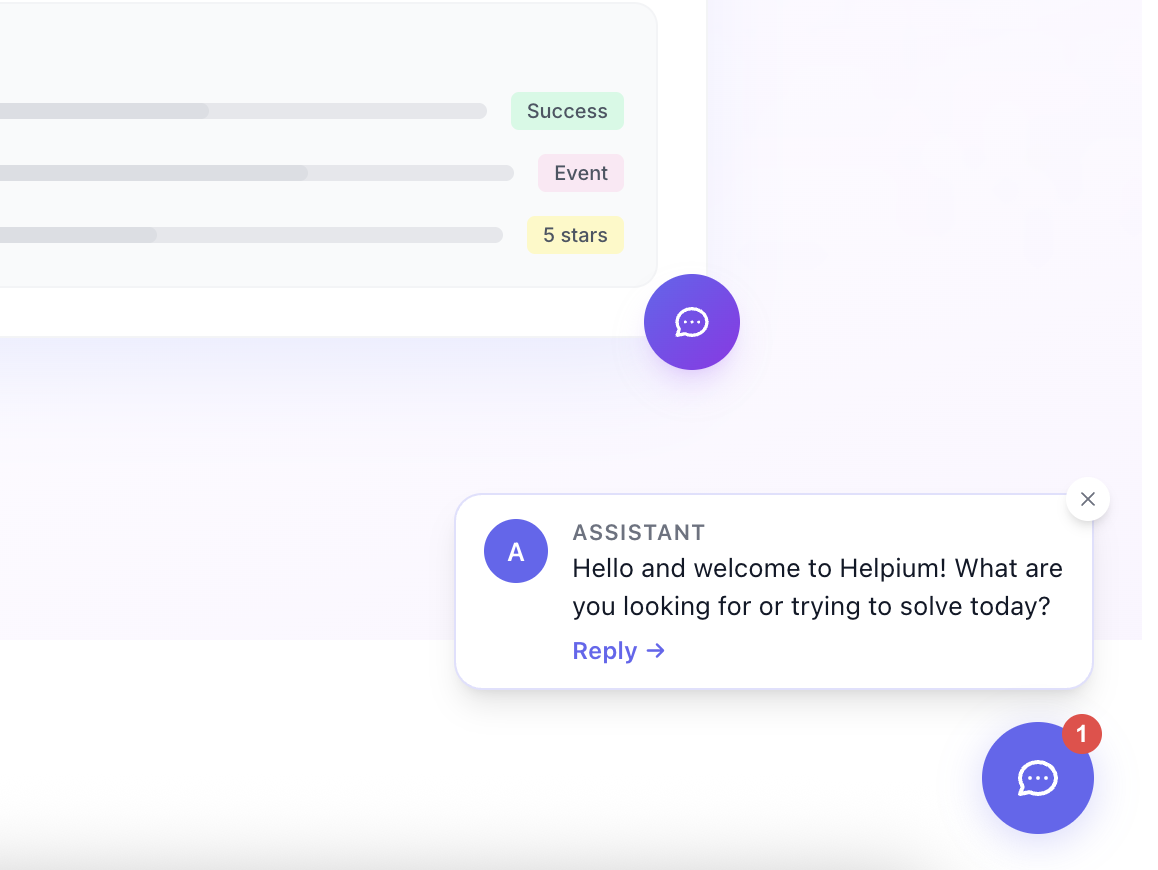
The presets gallery: pick one, install it, review the steps, enable.
It is conservative on purpose: it only fires for visitors who are not already identified, so a returning customer never gets the new-visitor pitch by mistake.
Use case 4: a vertical example you can build
Hotel reservations.Helpium does not ship a hotel preset, but the building blocks let you put one together in an afternoon.
A sketch:
Trigger: guest sends a message asking about availability.
Ask: check-in date and number of nights.
Ask: room type or budget range.
Action: a custom step that calls your booking system to check what is open.
Send a reply with the rooms that match.
Handoff: send the conversation to a human with the guest's choices, since you probably want a human to confirm the actual booking.
The same building blocks scale to package tours, restaurant reservations, course enrollments, anything where the customer asks the same question and your team looks up the same place.
What is actually under the hood
Every Helpium workflow is built from these named steps:
Trigger starts the workflow.
Ask sends a question to the customer and waits for the answer.
Classify maps a free-text answer to a category.
Condition branches on a value.
Action runs an AI Action (an external lookup, an API call, a tool).
Wait pauses for a set time.
Handoff sends the conversation to a human.
End finishes the workflow with an outcome.
You can mix these into anything you need.
Try it without breaking anything
Every workflow has a simulator. You run a fake conversation through your workflow before turning it on for real customers. The simulator catches dumb mistakes (a missing question, a step that points the wrong way) before they reach an inbox.
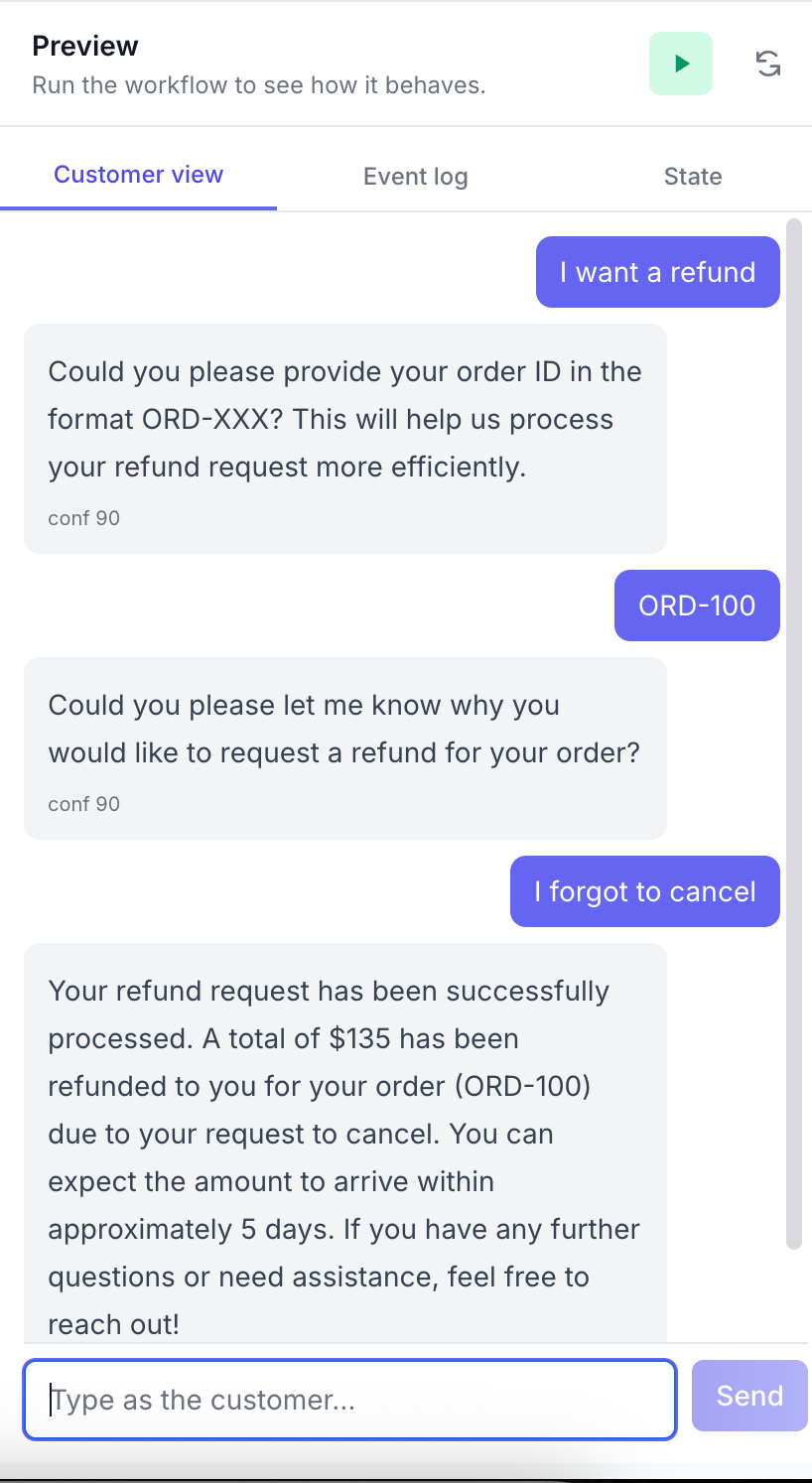
The simulator runs a fake conversation through your workflow, step by step.
What to do today
Open Workflows. Install one of the three presets. Run the simulator with a sample message. Enable it.
The first time it runs unattended, you will buy back the half hour you used to spend on that question every day.
AI-powered support without AI-powered pricing
Unlimited seats. One flat price. Serve customers with AI and a human team when it matters.
Keep reading

Do You Run a Real Estate Agency and Want to Automate Showing Coordination? Here's How
Every unanswered message is a showing going cold. We show you how to automate showing coordination without losing control of your calendar, so no lead falls through the cracks due to a slow response.
Per-ticket vs. flat-rate pricing: what's right for a Shopify store
We compare the two most common pricing models in ecommerce support based on the criteria that actually matter to a Shopify store: seasonality, variable volume, and predictability.

One inbox for everything: stop jumping between apps to answer customers
Your team doesn't lose time answering customers. It loses time figuring out where the conversation is, which channel it came in on and what was said before. A unified inbox removes that invisible cost.